
bizweaver:restapi
Table of Contents
Swagger Page Documentation
Overview
The Swagger page is an interactive API documentation tool that provides a user-friendly interface for exploring, testing, and executing available workflows through API endpoints. It allows developers, administrators, and technical users to understand and interact with the workflows without requiring direct access to Bizweaver.
Key Features
- Interactive API Documentation:
- Lists all available API endpoints in the application.
- Workflow Visibility:
- Provides a comprehensive list of all published workflows.
- Displays each workflow's input and output payload structure.
- Endpoint Testing and Execution:
- Enables users to test workflows directly from the Swagger page.
- Allows input of parameters to simulate real-world API calls.
- Displays responses, including HTTP status codes and response bodies.
- Authorization Support:
- Allows users to input authorization key required for secured endpoints.
Using the Swagger Page
- Access to the page:
- Open a web browser and navigate the swagger URL https://localhost/BWAPI/swagger/index.html.
- Authentication:
- Before using any endpoints on the swagger page, click on Authorize and enter your BW API Key

- Exploring Workflows:
- Open a web browser and navigate to the swagger URL https://localhost/BWAPI/swagger/index.html.
- Expand each endpoint to view the request and response details.
- Exploring Workflows:
- Review the list of workflows under the relevant API sections.
- Expand each endpoint to view the request and response details.

- Testing Workflow Execution:
- Select the endpoint for the workflow you want to test.
- Click on the “Try it out” button.
- Provide required input parameters in the specified format.
- Execute the workflow and review the response data.
- Validating Responses:
- Check HTTP response codes (e.g., 200 OK, 400 Bad Request).
- Verify response payload against expected output.
Using the API schema designer in BW workflow designer
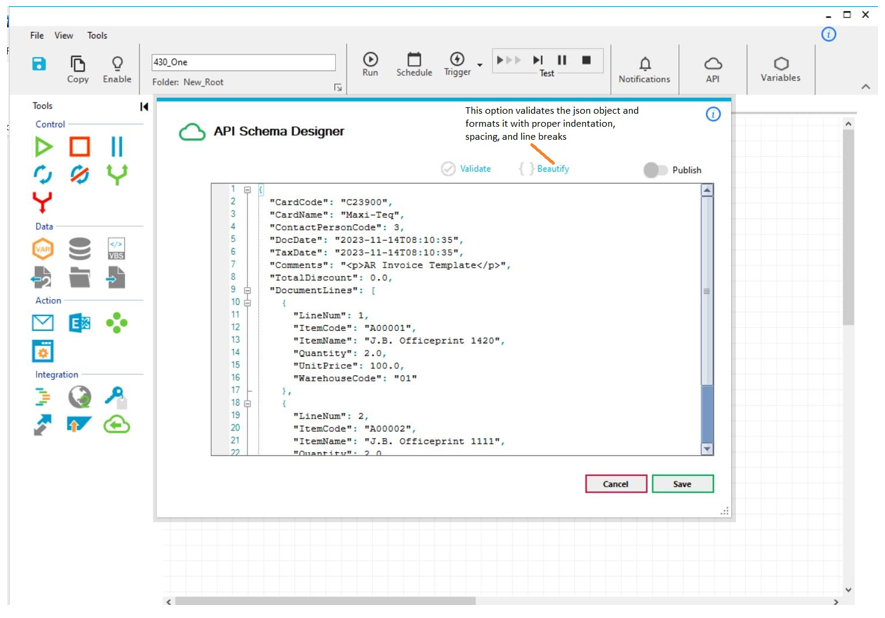
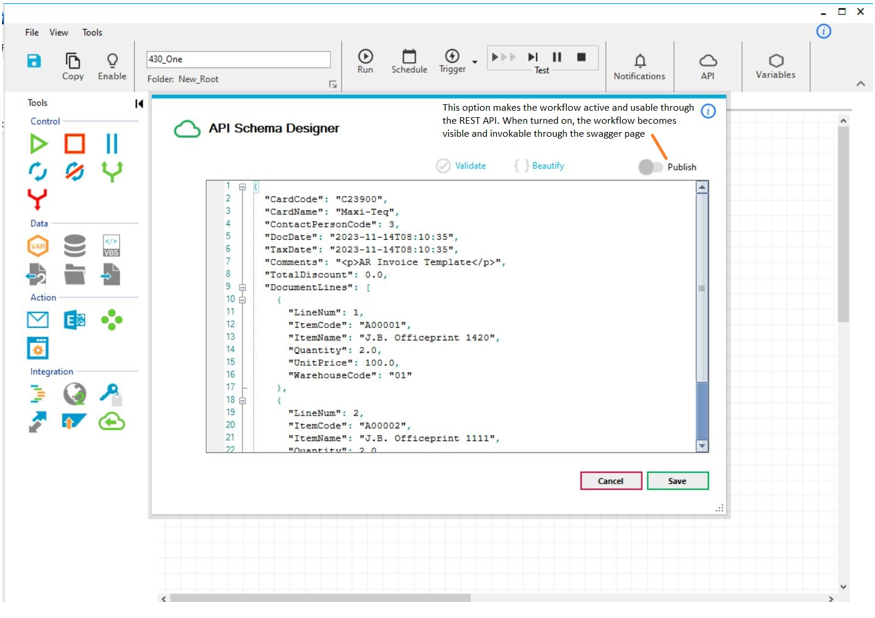
The API Schema Designer allows users to define the request payload object that can be send to the WF through the new Rest API.
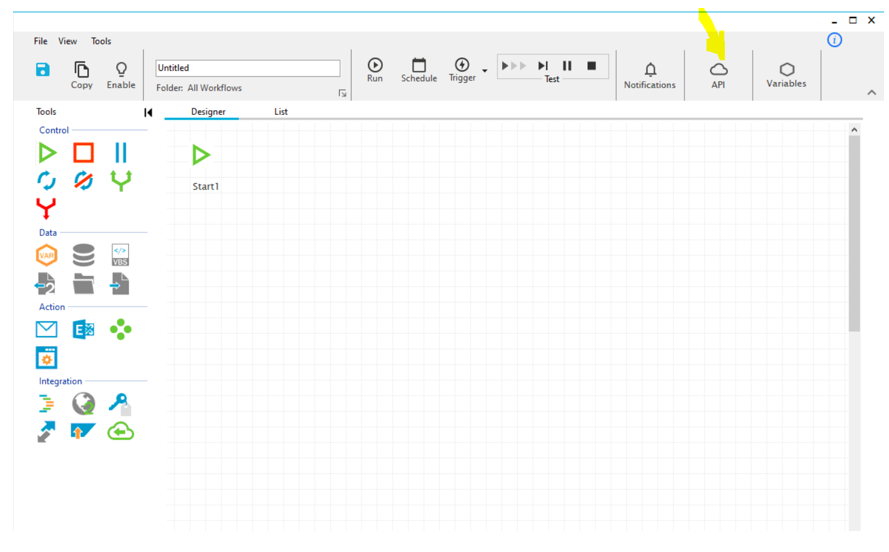
To define a payload object, click on the API icon in toolbar.
Enter the object in Json format – Note that the object structure is what is important here (Not the values)

bizweaver/restapi.txt · Last modified: 2025/01/14 09:52 by dtucker
Except where otherwise noted, content on this wiki is licensed under the following license: CC Attribution-Noncommercial 4.0 International


