
This is an old revision of the document!
Table of Contents
Introduction (Encryption)
This page describes the use of the Bizweaver Encrypt Decrypt Tool.
Encrypt Decrypt Tool
The encryption tool is best used to encrypt data from a source (AWS, Versago) to your database. The functionality is used to store sensitive data in a database, or a file. The tool accepts a string as input and encrypts it with a key you create. To view the string in clear text it must be decrypted with the same key. An encryption step can be added any where to a workflow. In the following illistration the encryption step is place between two variable steps.

Basic Configuration Steps
Example:
The first step is to get the data needed to encrypt this can be pulled from any source you choose. In the following image you will see that we are using a simple SQL step to pull in one record to encrypt it.
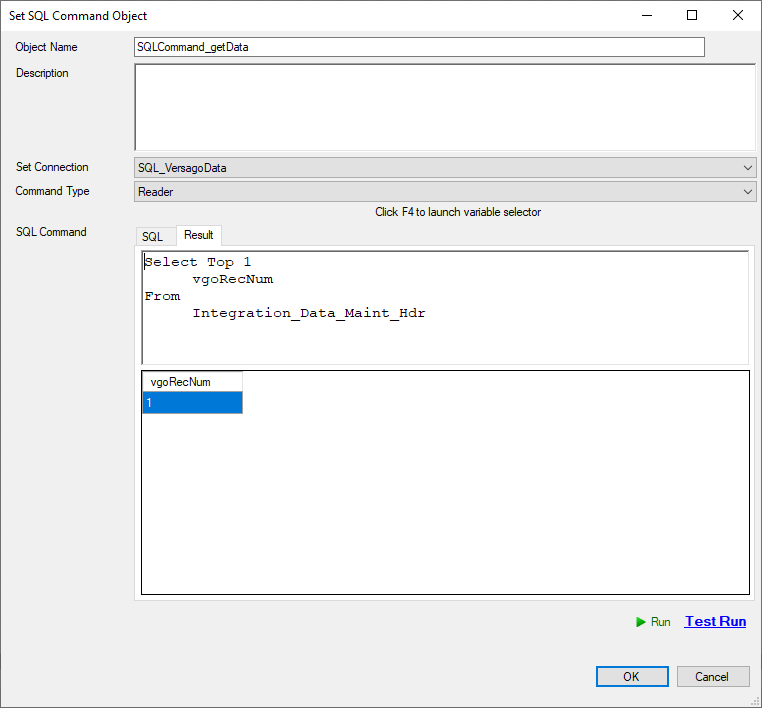
The next step is to pass that into the Encryption tool
- Text - this is the information you are passing into the tool.
- You can use step and user variables if you wish to pass them through to be encrypted.
- Encryption / Decryption Key - This is a key you assign it can be anything you wish.
- to make it secure it is recommended that the key is a mix of upper-case and lower-case characters, and numbers
- Command - This determines if you want to encrypt or decrypt the data.
- 0 to Encrypt
- 1 to Decrypt

Next, pass the output step variable “Value” from the encryption tool into a variable tool to store our value. This is just to illustrate the hashed value or encryption of the initial data. Below is an image of the value when we run the workflow in test mode.

Now we will step through the decryption of the value just encrypted. Take the variable from the prior step and pass it into a encrypt decrypt tool as the “Text” feild to be decrypted. The key will be the same key that was used to encrypted the data, and command will be 1 for decrypt.

Now to see the results we will run the workflow in test mode and view the variable that has been decrypted.



