Table of Contents
Introduction (Import/Export)
This document discusses the Bizweaver Export/Import functionality.
Audience
This document is intended for developers of Bizweaver workflows.
Related Documents
The following documents contain additional information that may be helpful with the development of Bizweaver workflows.
Overview
The Bizweaver Export/Import tool is, as the name suggests, used to export workflows out of Bizweaver and import them in. The functionality is used for two primary purposes: to transfer workflows from one instance of Bizweaver to another and back up workflows for security reasons.
Workflows are exported into a special file with the extension “bwx”. This is a special data file that does not have any user-accessible information. An export file may contain one or multiple workflows.
Export
Starting in Bizweaver version in 2.5, workflows are not backward compatible with versions of Bizweaver 2.4 and before.
There are two methods to initiate workflow export: single and multiple.
Single Workflow Export
- Right-click on the desired workflow in the listing area.
- Select the “Export” option.
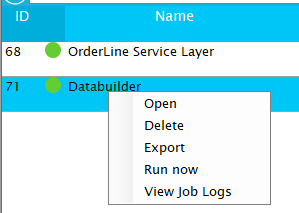
- Follow the process described in “Multiple Workflow Export,” beginning at step 3.

Multiple Workflow Export
- 1. Click Tools then Import or Export options in the menu bar.

- A list of all workflows is displayed.
- 2. To sort the workflows by column, click on the column header to sort either by ascending or descending order
- This feature was added in Bizweaver version 2.5. Prior versions do not support sorting.
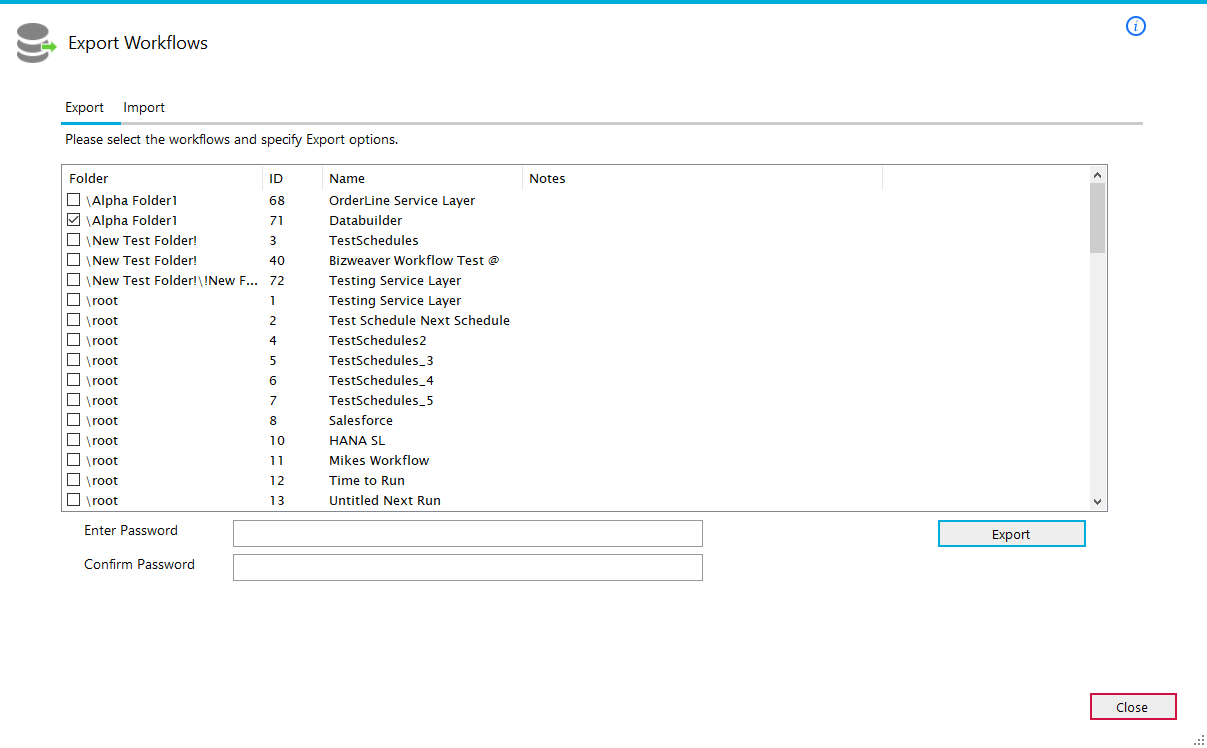
- 3. Select the checkbox for each workflow to be exported.
- This process can be used for a single workflow as well as multiple.
- 4. Enter a password and confirm it if you want to add password protection to the exported file.
- The password is required on import if it is assigned here.
- Password protection is optional.
- Importing password-protected files does not prompt the user for a password so this must be remembered by the user if a password has been added to an exported workflow.
- 5. Click [Export].
- 6. The export file may be placed in any available folder.
- The “bwx” extension is automatically assigned and cannot be changed in this dialog.
- 7. A message is displayed indicating that the export was successful.
- 8. Click [Close] to close the export function.

Import
SQL, DI (DI Server and/or DIAPI), SMTP, Web Service (REST), and Exchange connections will need to be updated as part of the import process. Each of the needed connection types should be in place before starting the import process.
For Web Service connections, create at least one “dummy” REST global connection to be used as a placeholder for non-REST web service steps.
Starting in Bizweaver version in 2.5, workflows are not backward compatible with versions of Bizweaver 2.4 and before.
The import process always begins with a source file created by the export.
- Click Tools then import in the menu bar.
- Click the [Select Files] button.
- Browse to locate the desired file(s).
- Select the desired file(s).
- Multiple files can be selected unless the files are password protected. Password-protected files must be imported individually.
- A file may contain more than one workflow.
- Select the workflow(s) to import using the checkbox at the beginning of each row.
- Enter the file password if needed.
- Click [Import].
- A message that the tasks will be imported as inactive is displayed.


- A new tab, “Configure,” is displayed.

Any workflows that use a SQL, DI, SMTP, WebService, or Exchange connection must be updated to reflect the current environment's appropriate connections.
This update must be done even if you import a workflow back into the environment where it was created.
The workflow (task) and step names are listed in the upper section. Drop-downs for DB (SQL), DI (DI Server and DIAPI), SMTP, REST, and Exchange connections are listed in the lower section.
Each row in the upper section can be updated individually using the drop-down in the “New Connection” column.
However, a faster way to accomplish the update is described below.
- Click on the “Old Connection” column header to sort the old connections together.
- Select each row of a specific connection by clicking the leftmost (blank) column
- Hold down the <Ctrl> key to select specific rows.
- Select the first desired row, hold down the <Shift> key, and select the last desired row to select a group of rows.
- Select the new connection from the appropriate drop-downs in the lower section.
- DI Server and DIAPI are found in the same drop-down. Be sure to select the correct one as they are not interchangeable.
- The “New Connection” value is filled in for all selected rows.
- Individual rows can then be changed if necessary.
- Click [Finish] to execute the import process.
- Click [Close] to close the import function.
Imported workflows are always placed in the base category (Bizweaver Tasks). They can be moved to other categories after import.
Moving from Test to Production
The process of using the Import/Export tool is discussed here