
mbstring extension must be loaded in order to run mPDF
cntr_mgmt:container_mgmt_webclient_screens
This is an old revision of the document!
Table of Contents
Container Management (Web Client) Screens
SAP B1 Container Management Screen
The SAP B1 Container Management screen allows the user to create and maintain information for containers in the B1 Web Client.
- Once the SAP B1 Web Client has loaded, select the menu icon in the upper left corner.
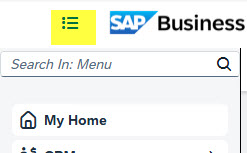
- Click the SAP menu option titled Container Management under the User Defined Objects menu to load the SAP B1 Container Management screen.
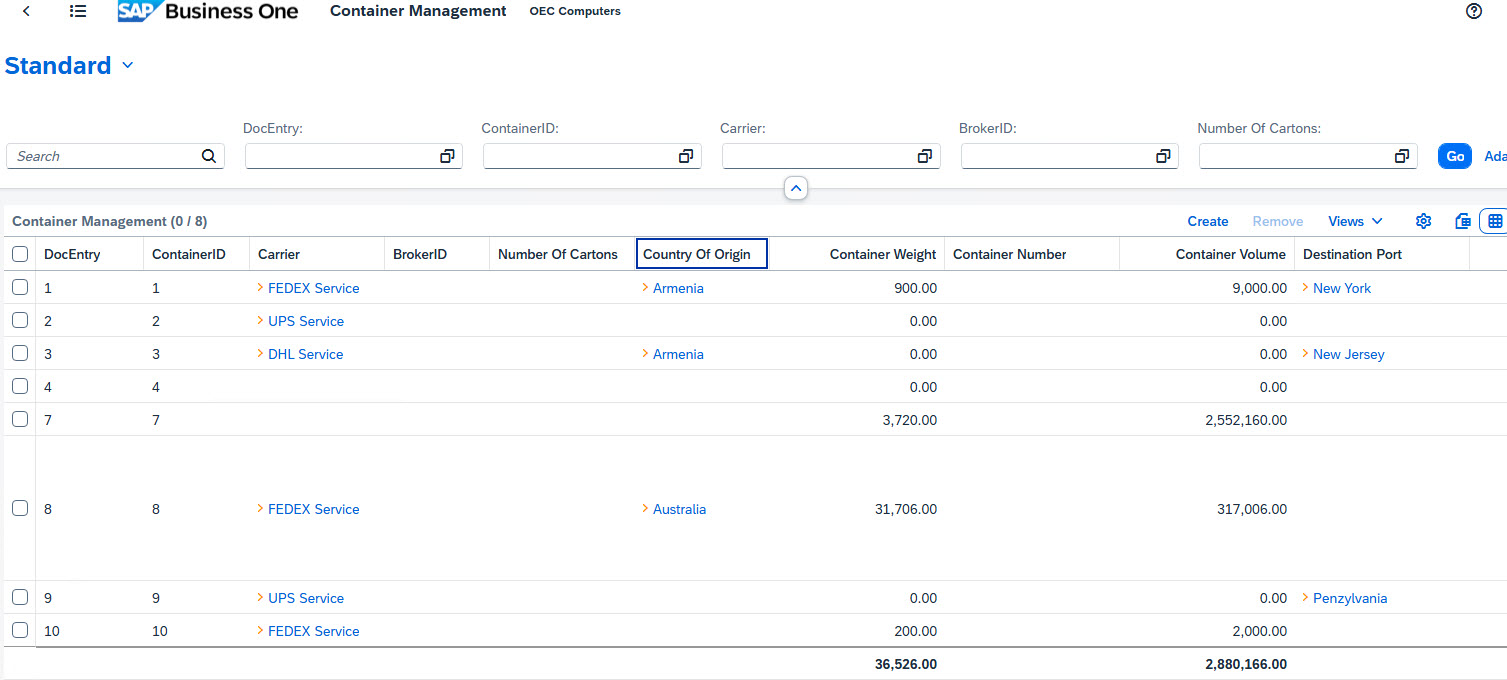
- Select a container line from the grid in order to review or edit the data for the container.
- Click the Create link above the grid to enter information for a new container.


SAP B1 Container Details Screen
General Container Info
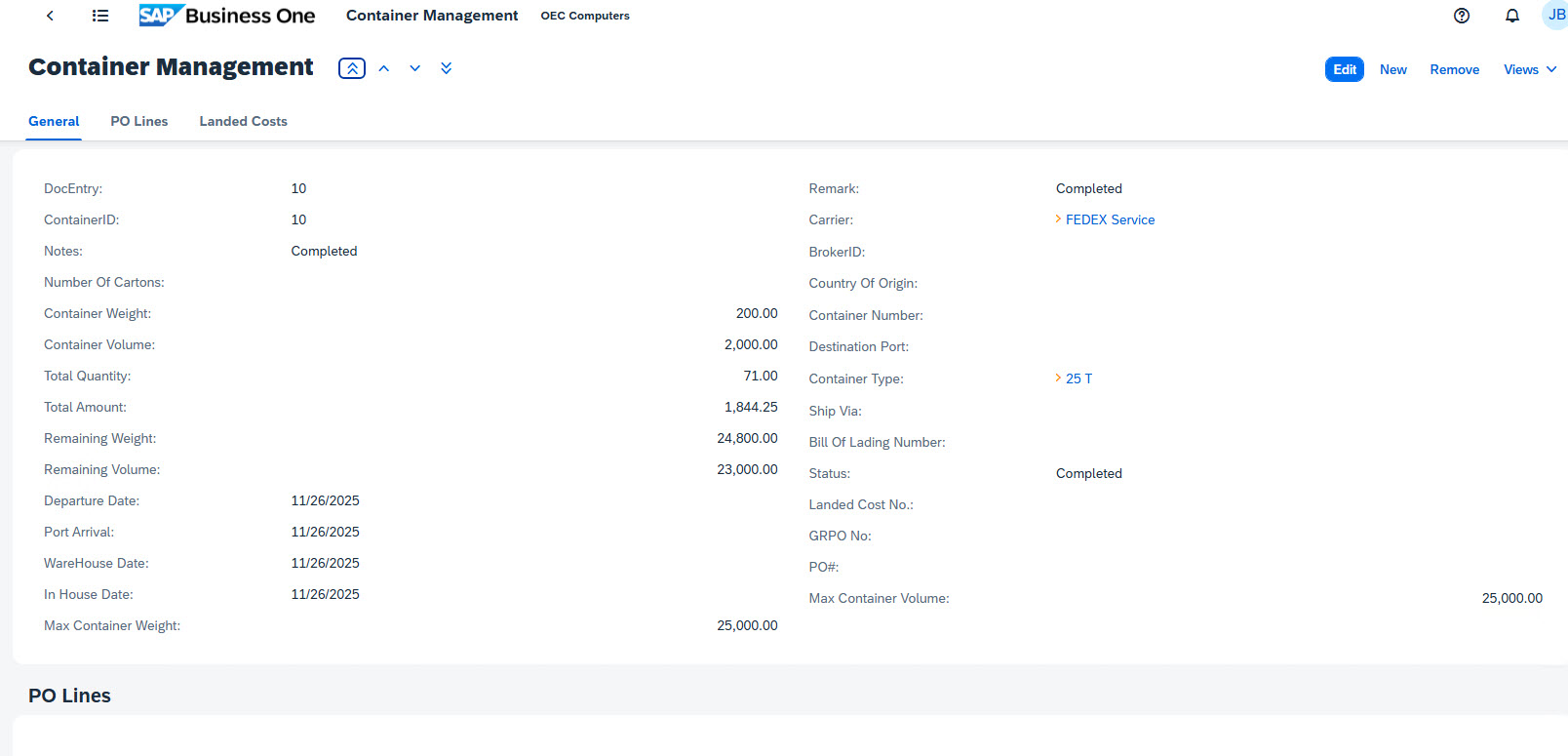
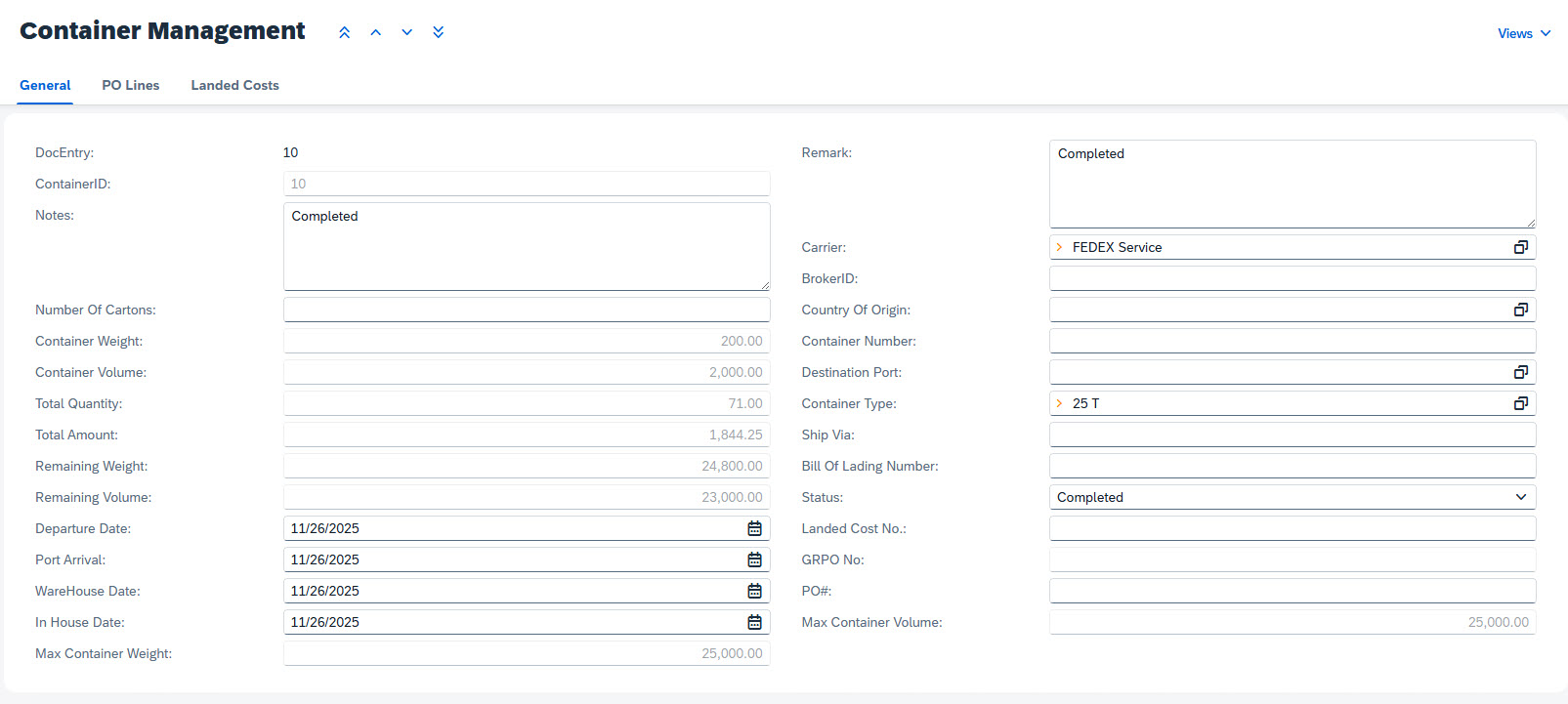
- Click the Edit button in the upper right to edit existing +Container information for all three sections.
PO Lines Info
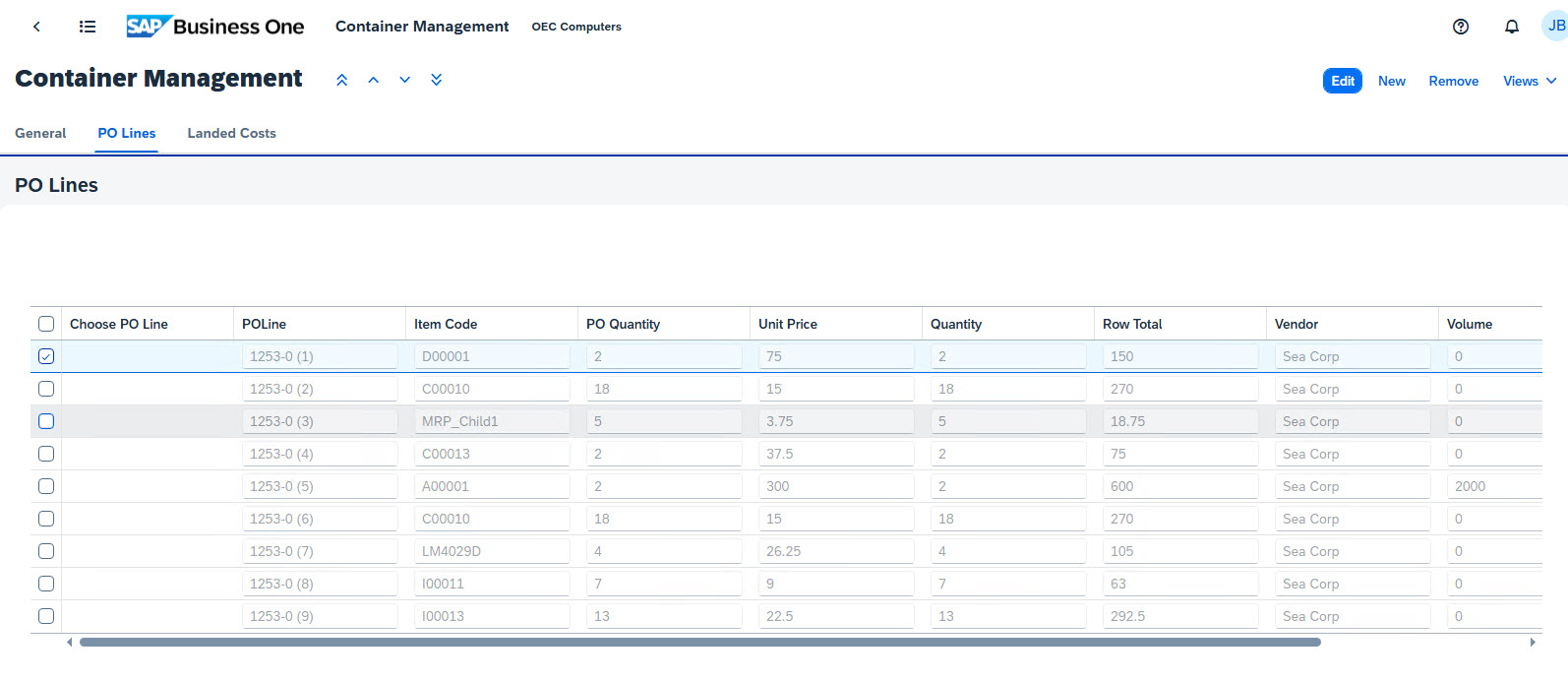
- Click the Edit button in the upper right to edit existing +Container information for all three sections.
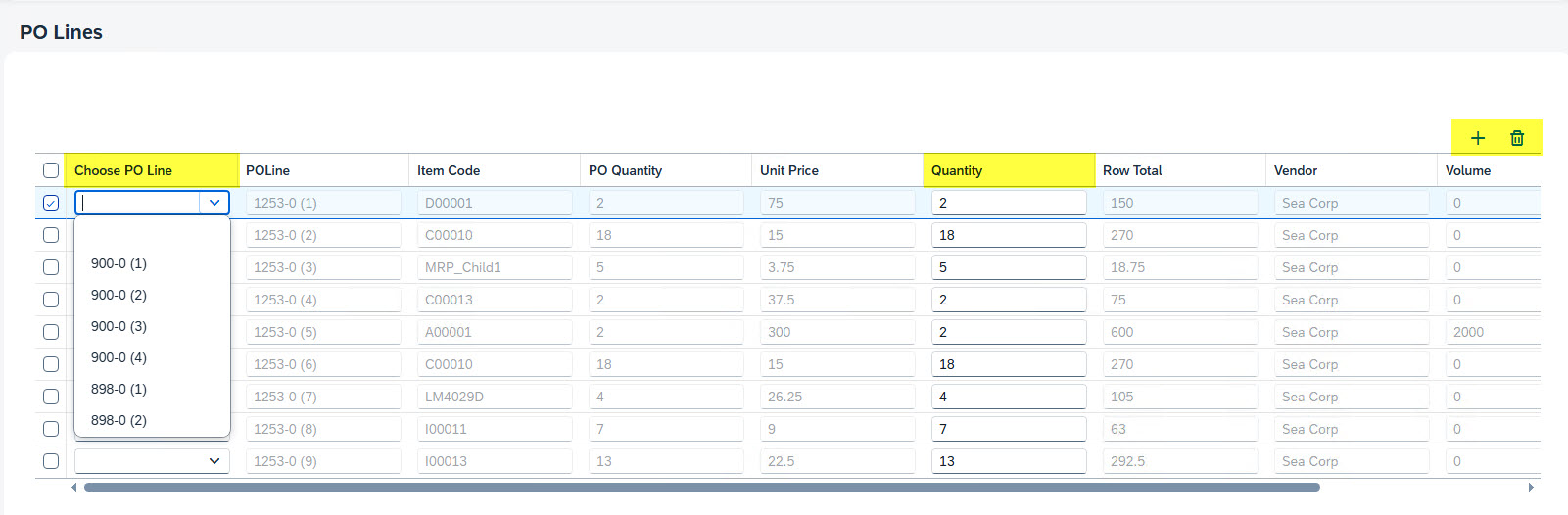
- The Choose PO Line column has been modified by Third Wave to utilize a combo selection instead of a text entry.
The format of the Choose PO Line values are: <PO #> - <Segment ID> (<Line #).
- The Quantity column has been added to the form.
 The Plus icon above the grid has been added to allow easy addition of a new PO Line to the grid.
The new line added to the PO Lines grid will be added at the bottom.
 The Trash Can icon above the grid has been added to allow for selection and removal of multiple PO lines.
Landed Costs Info
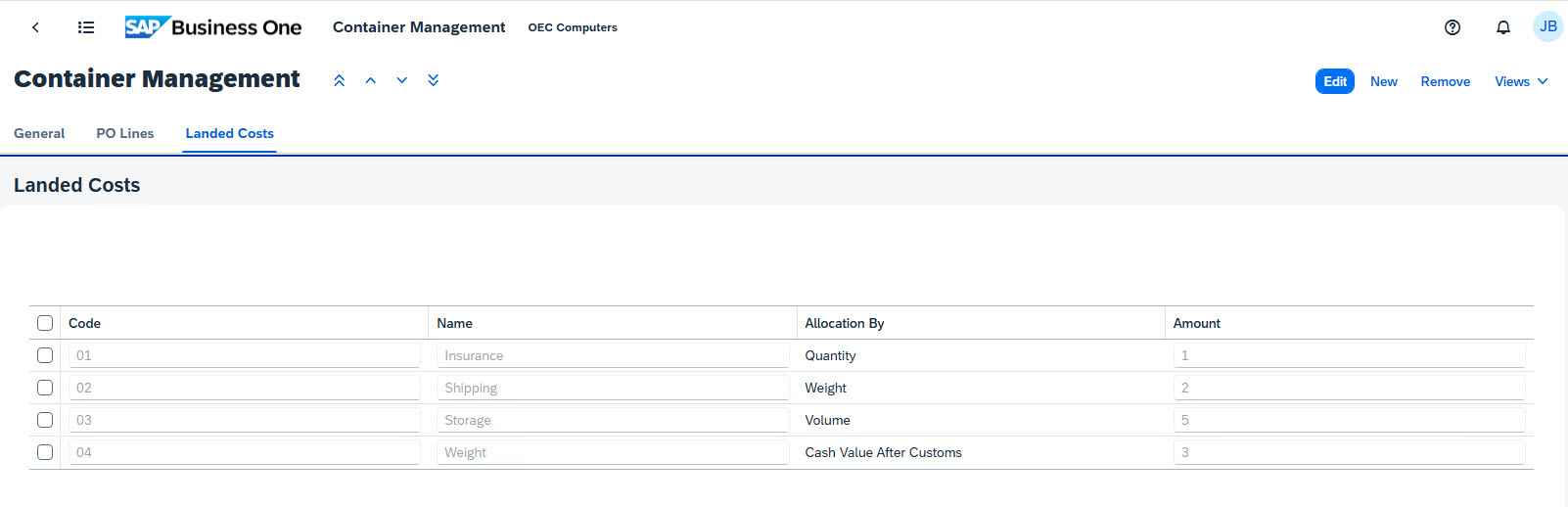
- Click the Edit button in the upper right to edit existing +Container information for all three sections.
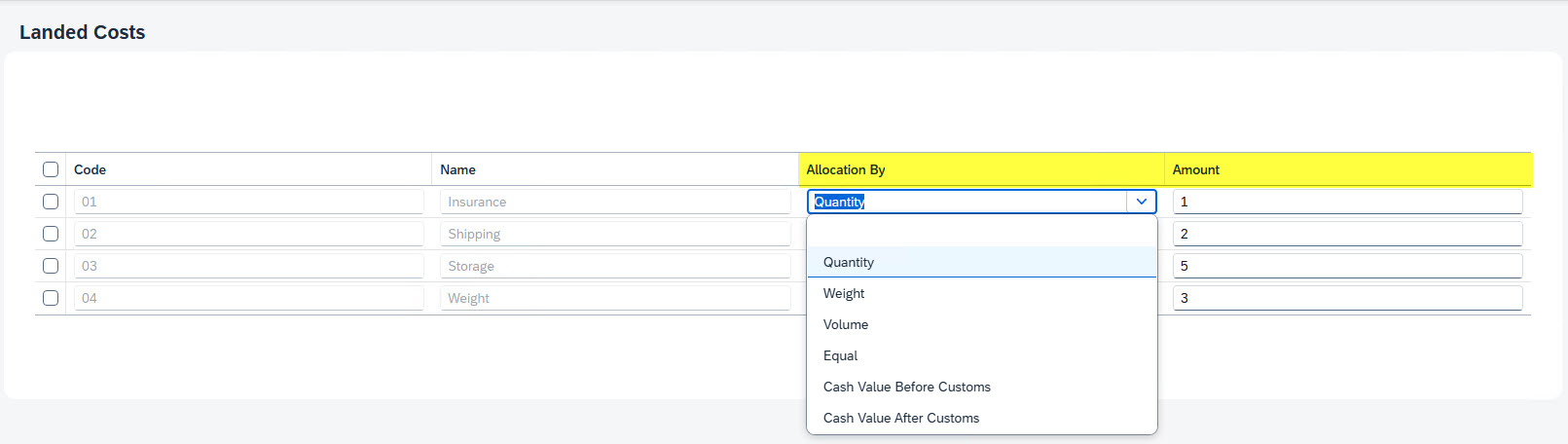
- The Allocation By column has been modified by Third Wave to utilize a combo selection instead of a text entry.
- The Quantity column has been added to the form.
- Add & View, Add & Back, Add & New button options - Saves the new container information and the subsequent selected action.
- Update button - Saves the modified information for the container and returns to the Container Management screen.
- Cancel button - Exits the edit mode without saving and returns to the Container Management screen.
cntr_mgmt/container_mgmt_webclient_screens.1764948485.txt.gz · Last modified: 2025/12/05 10:28 by dtucker
Except where otherwise noted, content on this wiki is licensed under the following license: CC Attribution-Noncommercial 4.0 International


