
mbstring extension must be loaded in order to run mPDF
versago3:from_layout
This is an old revision of the document!
Table of Contents
Layout
The basic form layout process consists of adding rows and columns to the form and then placing “controls” in the rows.
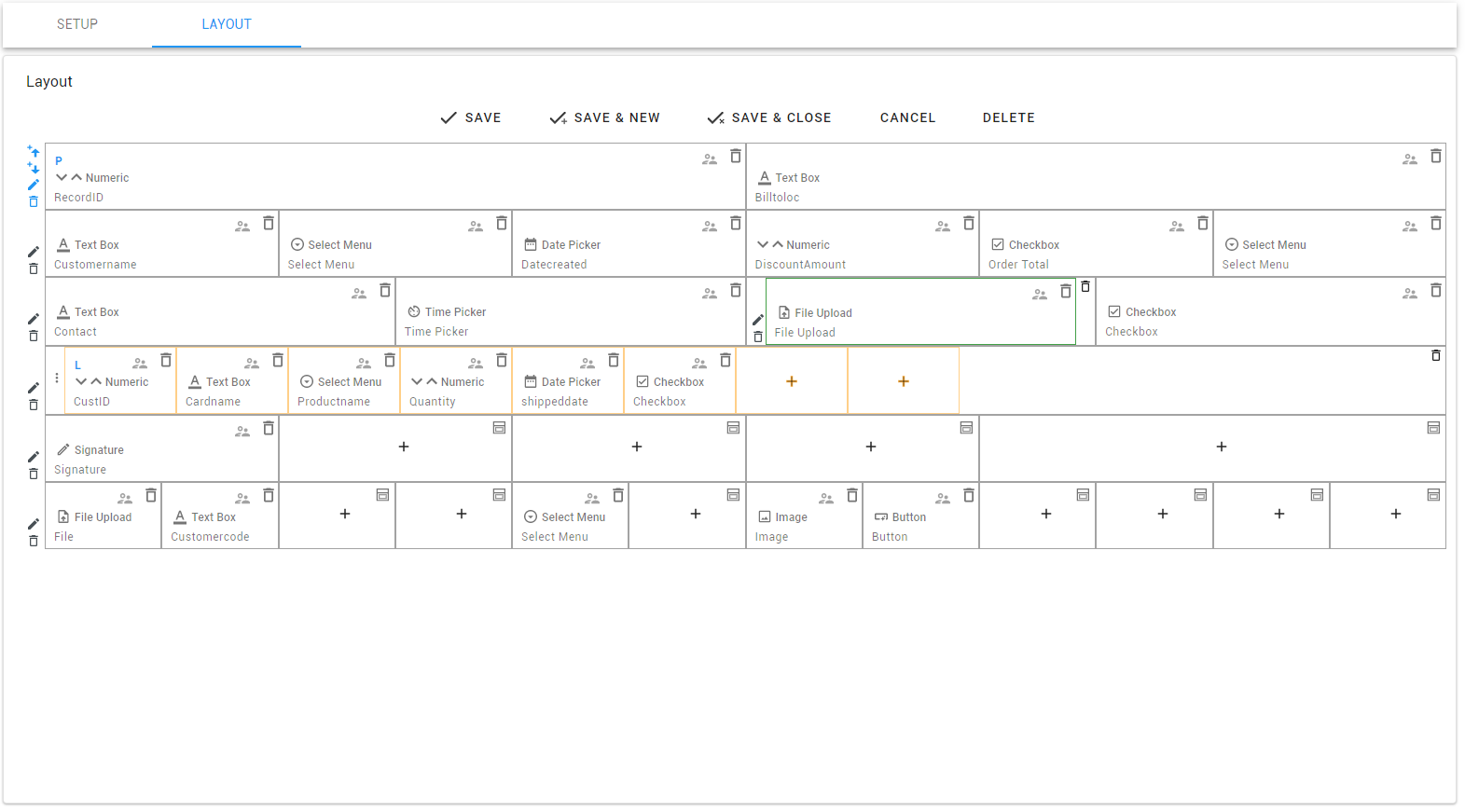
Layout icons

- Use the up and down arrows to insert a new row above or below.
- Use the pencil icon to edit the number and with of columns on the row. The sum of the column widths must equal 12 and the maximum number of columns is 12.
- Use the trash can to delete a row.
- Use the plus sign to add a control.
- Use the window icon to add an embedded control.
- Use the people icon to define specific security for the control.
- Controls can be move via drag & drop.
Adding controls
When the plus icon is clicked, the control selection panel will display

Select the desired control from the list of control types. Alternatively, you can go to the fields tab to select the table field linked to the control. Versago will automatically choose a control base on the data type of the field
Once a control is selected, the Control Settings panel will display on the right side of the screen

Refer to Control Types for more detail info. Refer to Control Settings for more detail info.
versago3/from_layout.1667233953.txt.gz · Last modified: 2022/10/31 12:32 by dlee
Except where otherwise noted, content on this wiki is licensed under the following license: CC Attribution-Noncommercial 4.0 International


