Table of Contents
Home Page
Versago allows the administrator to create two types of home page content:
- Banners are shown at the top of the home page and are use for short messaging. The can be expanded and closed by the user.
- Feed are articles shown on the main home page the provide a history of previous content
Both banners and feed have sub-types that are used to show different icons.
Only one banner per sub-type can be published at a time
The Home Page Content page provides a list of existing content in the system

- Click the [Add Content] button to create a new content.
- Click a row in the listing to edit content.
- Publish content using the switch
- Click the [Trash] icon to delete a Menu.
Use the standard icons to the search, filter and show/hide columns.
Add/Edit Content
- Fields marked with * are required. All other values are optional.
- Options are made available based on the selected type and sub-type
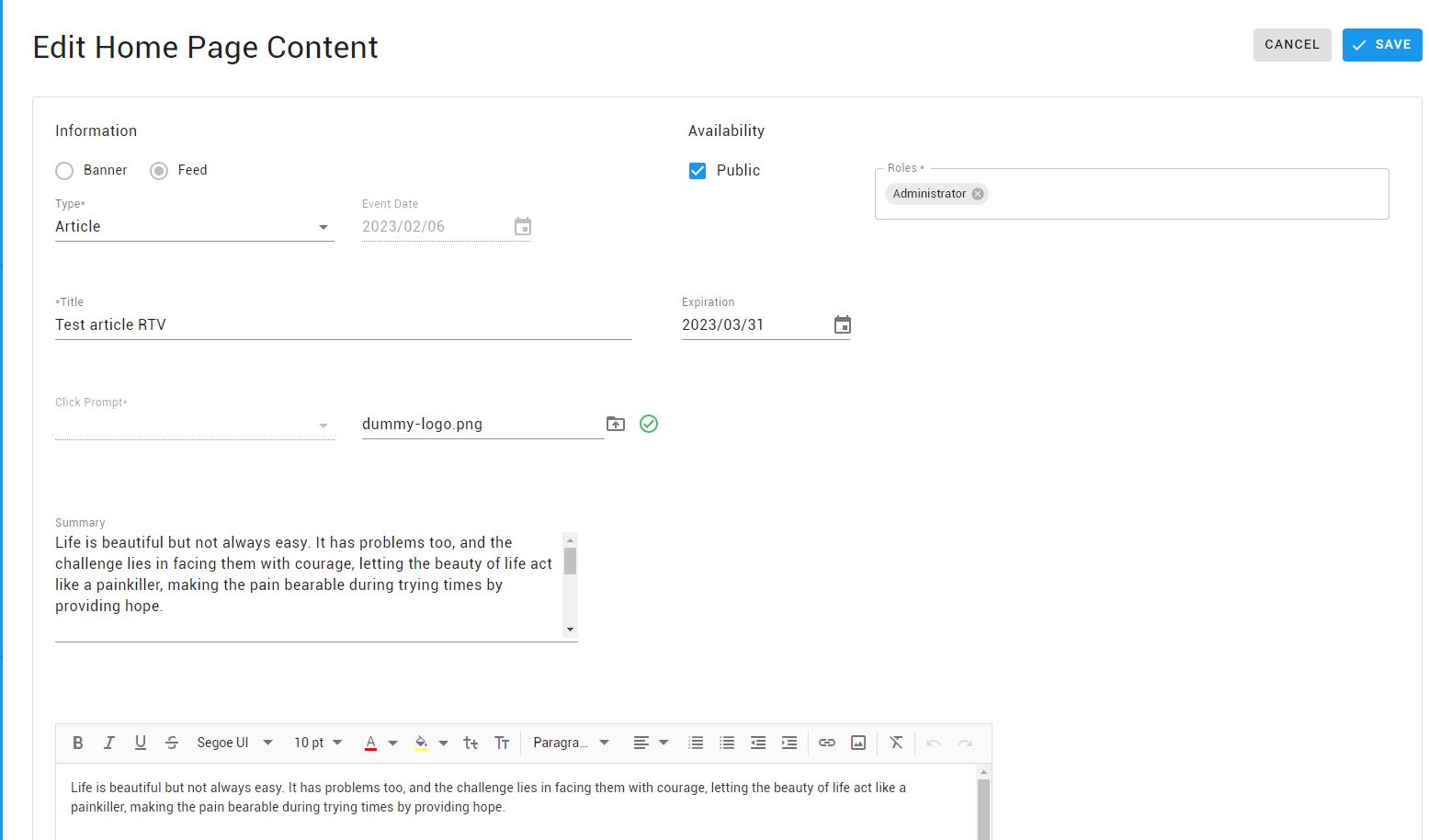
- Select type: banner or feed
- Select a sub-type