Export
Allows the administrator to export objects created in the system to be moved to a different Versago installation.
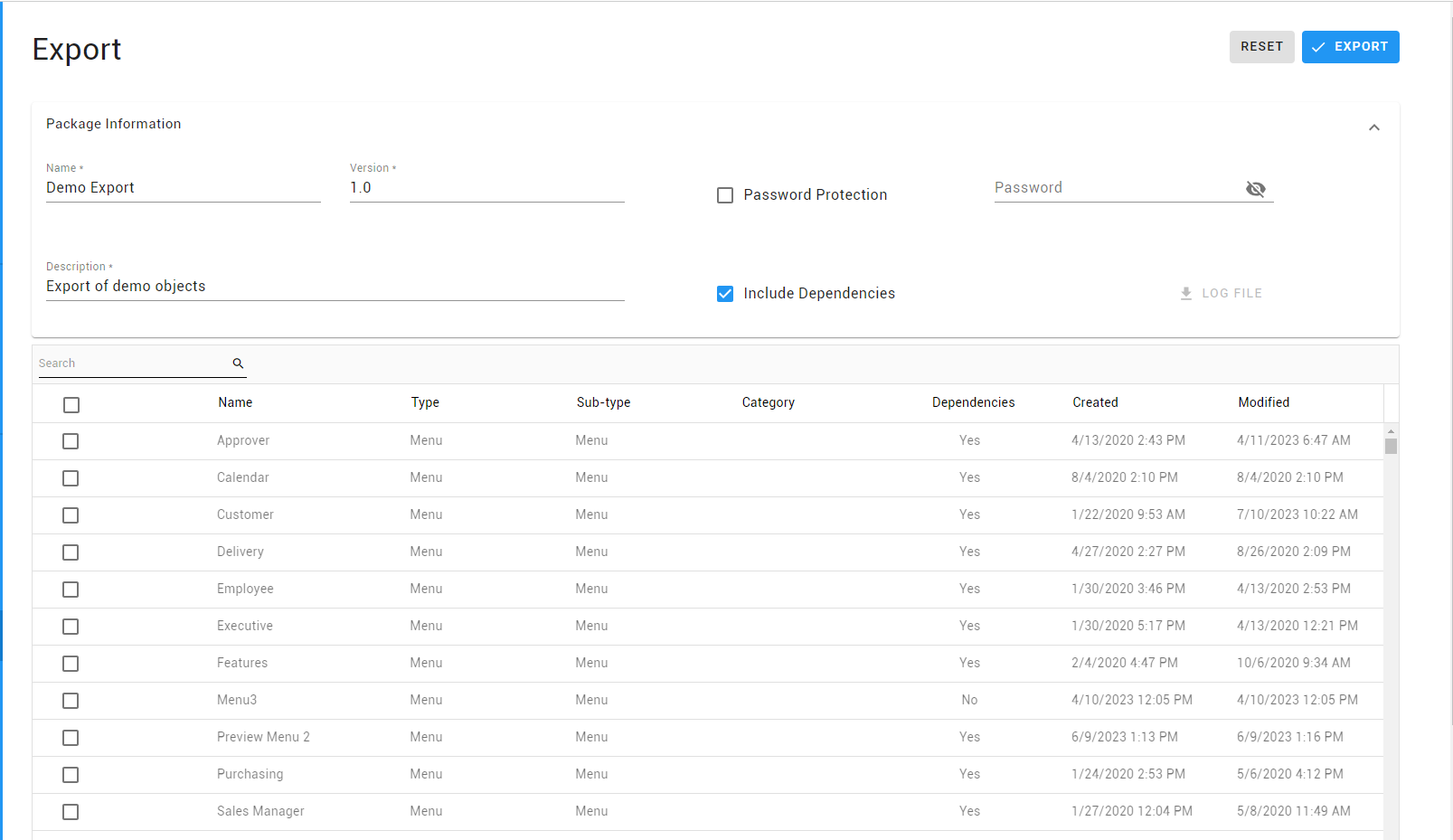
- Enter a Package Name (required).
- Enter a Package Description (required).
- Enter a Package Version (required).
The output file can also be password protected if desired, although this is not mandatory.
- Select the Password Protection checkbox.
- Enter the desired password.
The system will automatically select dependent objects if Include Dependencies is selected Select the desired objects and click the Export button to save your export. The Log file link can be use to download the export's log file.
If your export includes images or Crystal Reports, those files are not included in the export file and must be copied over manually.
- Image files: C:\Program Files (x86)\TWBS\Versago\VersagoApp\ClientApp\build\SiteImages
- Crystal Report files: C:\Program Files (x86)\TWBS\Versago\VersagoApp\Reports
Import
The import process takes a file from a previously generated export file and brings the information into the instance of Versago where the import is being executed.
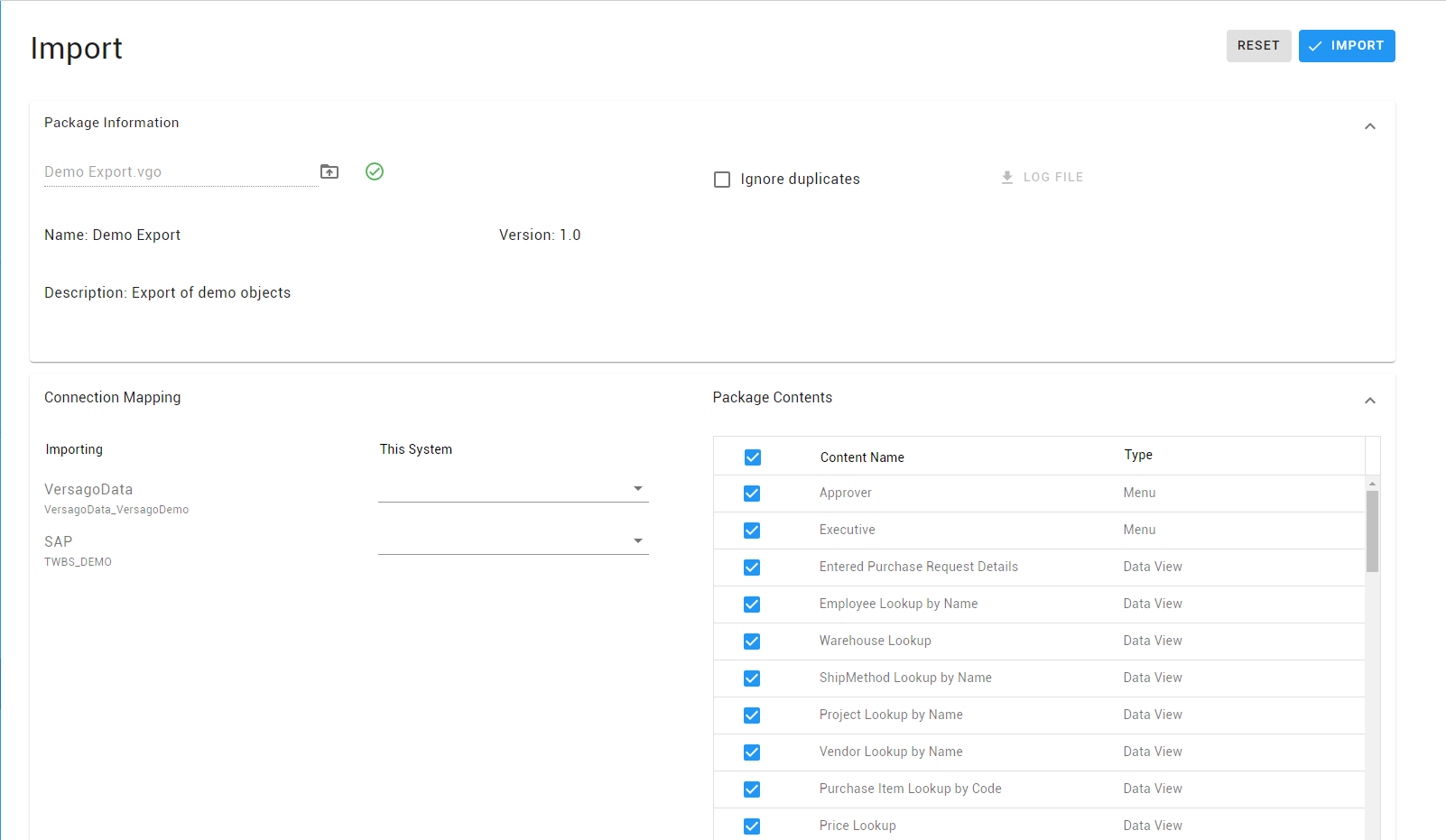
- Click the [Upload File] icon and select the appropriate Versago export files (.vgo extension).
- The file information and included objects are displayed.
- Select Ignore Duplicates to skip processing of an incoming object (e.g. a report name, profile name, etc.) if it already exists in the receiving database.
- Map target database connections to the connections from the source Versago instance.
- This mapping is required to proceed.
- Tables used by forms are not updated with this process.
- Deselect any objects that are not to be imported at this time.
- All objects are selected by default.
- Use caution when deselecting items since some items may be used in other objects.
- Click [Import] to begin processing.
- The Log file link can be use to download the export's log file