
Table of Contents
Connections
Connections specify data sources and their credentials used by Versago.
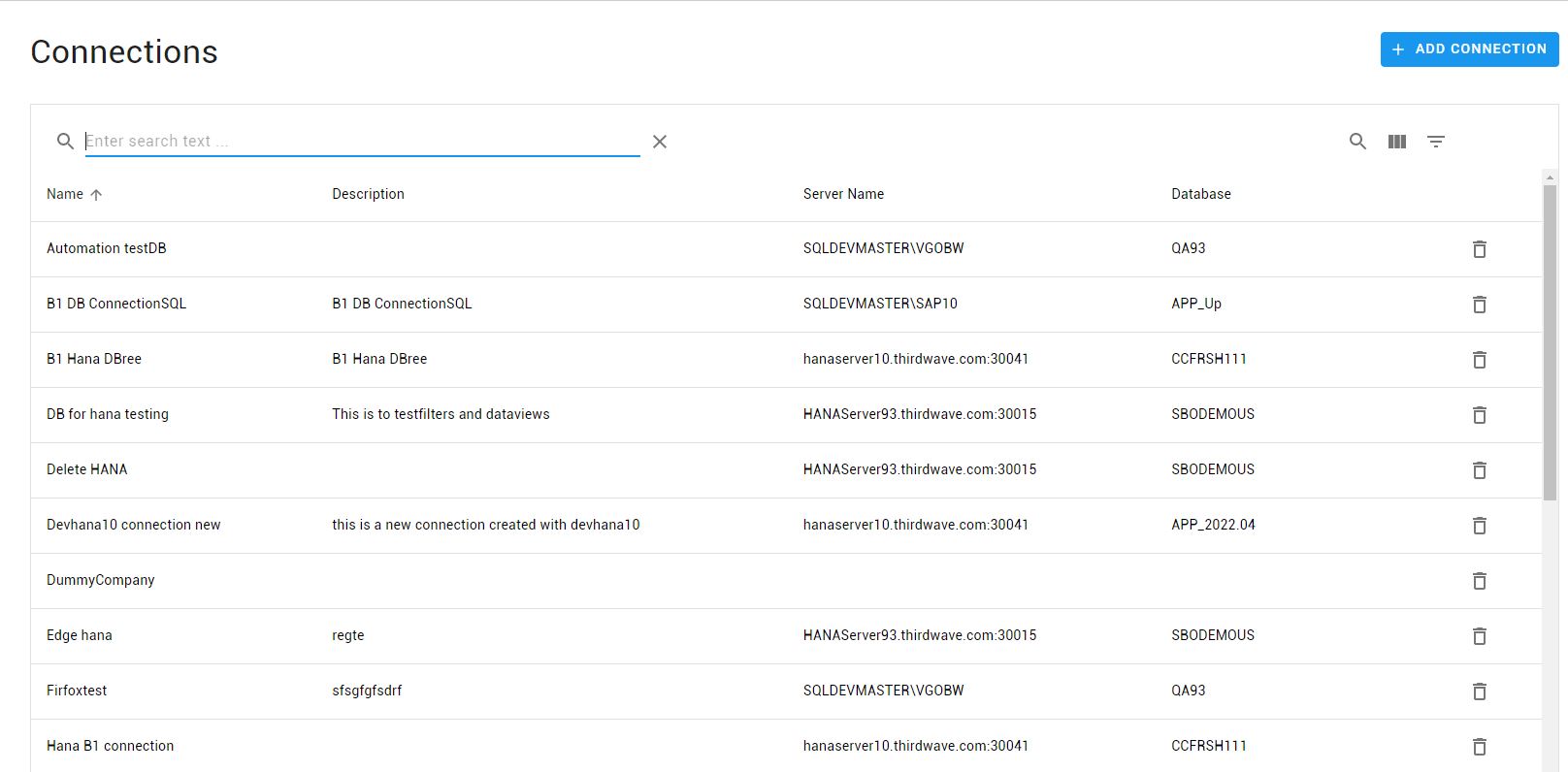
The Connections page provides a list of existing connections in the system
- Click the [Add Connection] button to create a new user.
- Click a row in the listing to edit a connection.
Use the standard icons to the search, filter and show/hide columns.
Add/Edit Connection
- Fields marked with * are required. All other values are optional.
- Name your connection and select between SQL or HANA databases.
The Server Info (server and/or database) can be changed once the connection is created allowing convenient switching between a test and production environment.
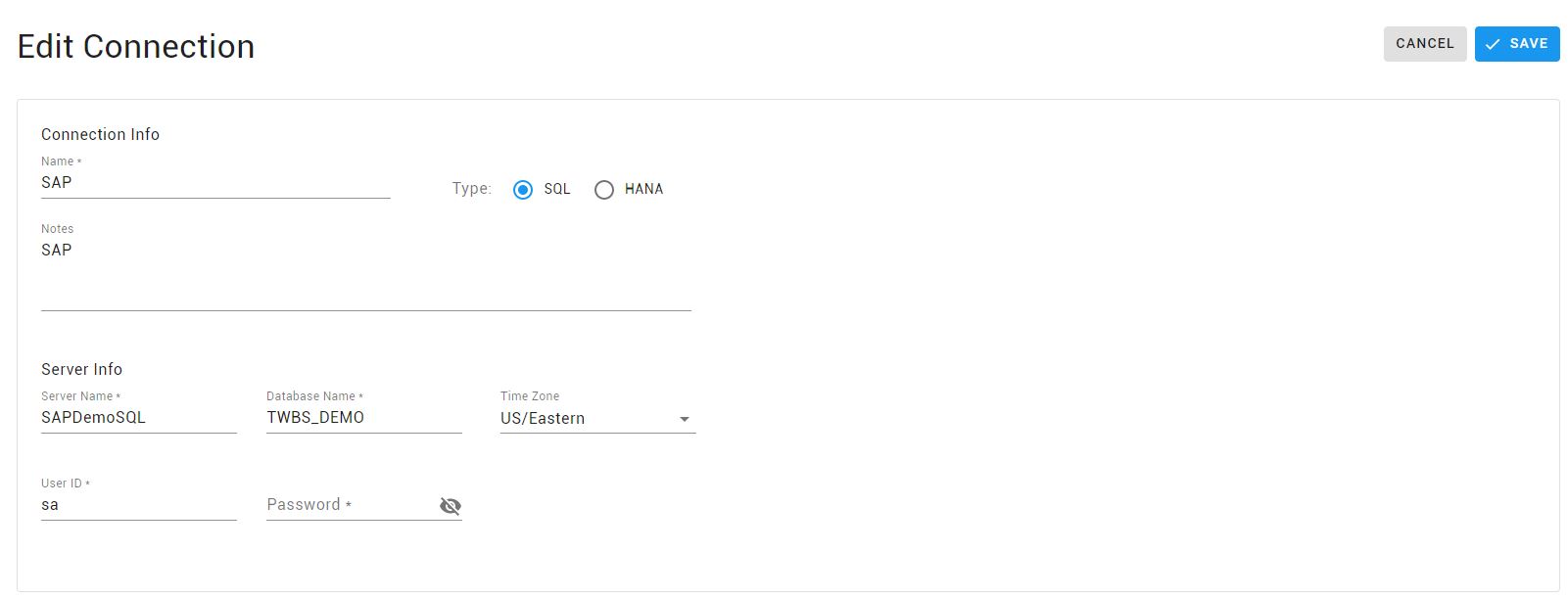
- Server Name is MSSQL instance name or the HANA server. For HANA connections, the Server Name must include the correct port number (e.i. <hanaserver>:30015).
- Database Name is the name of the database to be used. It is case sensitive for HANA.
- Timezone is used by Data Views that display calendars to determine the correct adjustment between the user and connection timezones.
- Password is not retrieved on edit mode for security reasons.
The credentials used for the connections should have the minimum access necessary for the purpose of the connection. We do not recommend the use of a system admin user such as sa.
HANA Connection
Single Tenant
The standard communications port for a single tenant HANA database is 30015. This is defined during the HANA database setup. The server name field should be set up as <hanaserver>:30015
Multi-Tenant
In the case where the target database is located in a multi-tenant environment, the actual port to be used must be determined manually.
To determine the appropriate port, open a SQL Console on HANA Studio for the Tenant Database and run the following query.
SELECT
SERVICE_NAME, PORT, SQL_PORT
FROM SYS.M_SERVICES
WHERE ((SERVICE_NAME='indexserver' AND COORDINATOR_TYPE='MASTER') OR (SERVICE_NAME='xsengine'))
The “SQL_Port” value returned by the query should be used as the port in the Server Name. In the following image, the tenant is DEVTenant. The query returns port 30047. The connection in Versago is created using this port, rather than the single tenant port 30015 (e.i. <hanaserver>:30047).

VGO Configuration DB Credentials
The connection credentials to the Versago configuration DB (vgoCommon) can be update by editing the file appsettings.Production.json under the Versago installation path.


