
mbstring extension must be loaded in order to run mPDF
versago3:connections
This is an old revision of the document!
Table of Contents
Connections
Connections specify data sources and their credentials used by Versago.
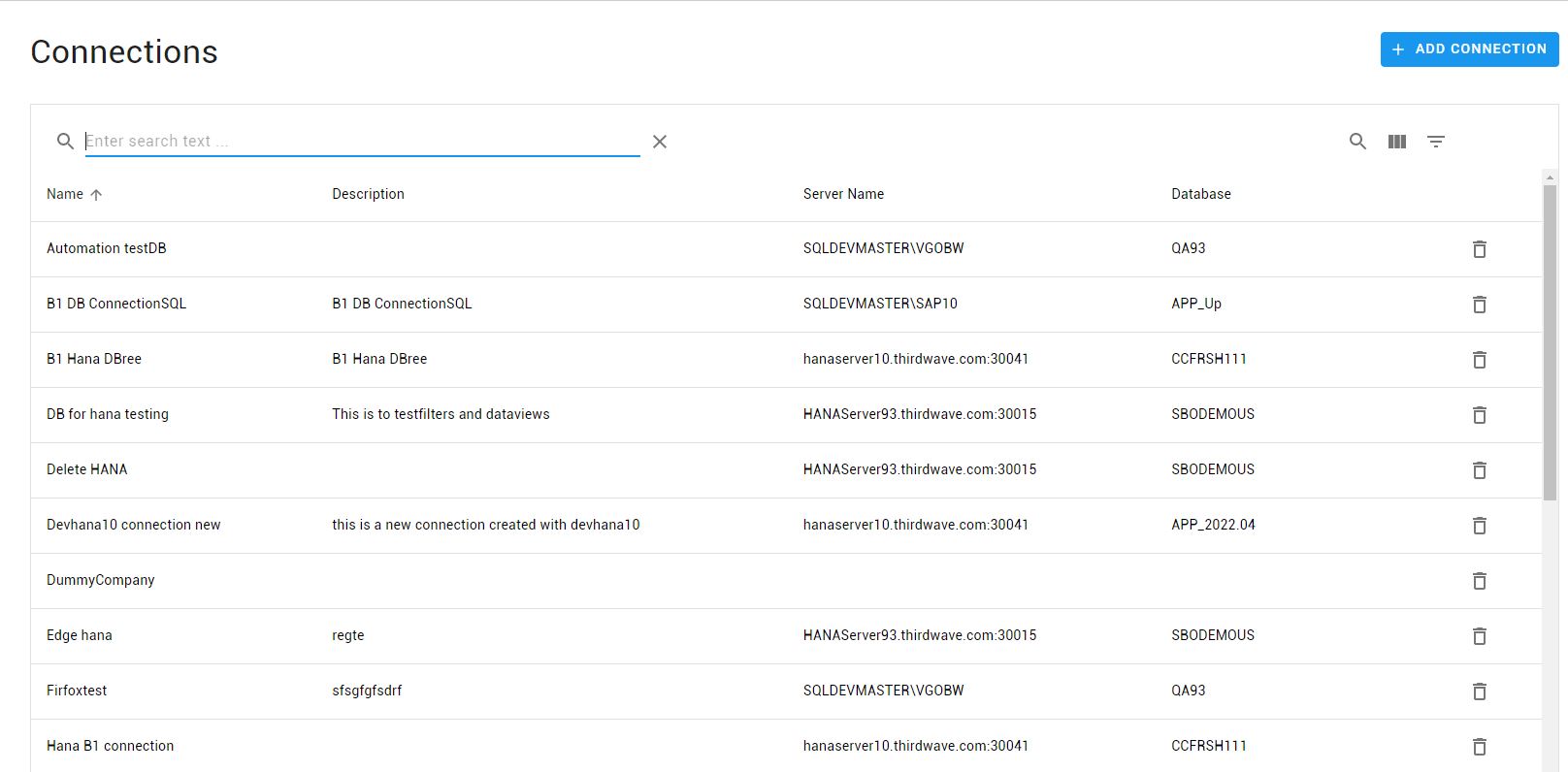
The Connections page provides a list of existing connections in the system
- Click the [Add Connection] button to create a new user.
- Click a row in the listing to edit a connection.
Use the standard icons to the search, filter and show/hide columns.
Add/Edit Connection
- Fields marked with * are required. All other values are optional.
- Name your connection and select between SQL or HANA databases.
The Server Info (server and/or database) can be changed once the connection is created allowing convenient switching between a test and production environment.
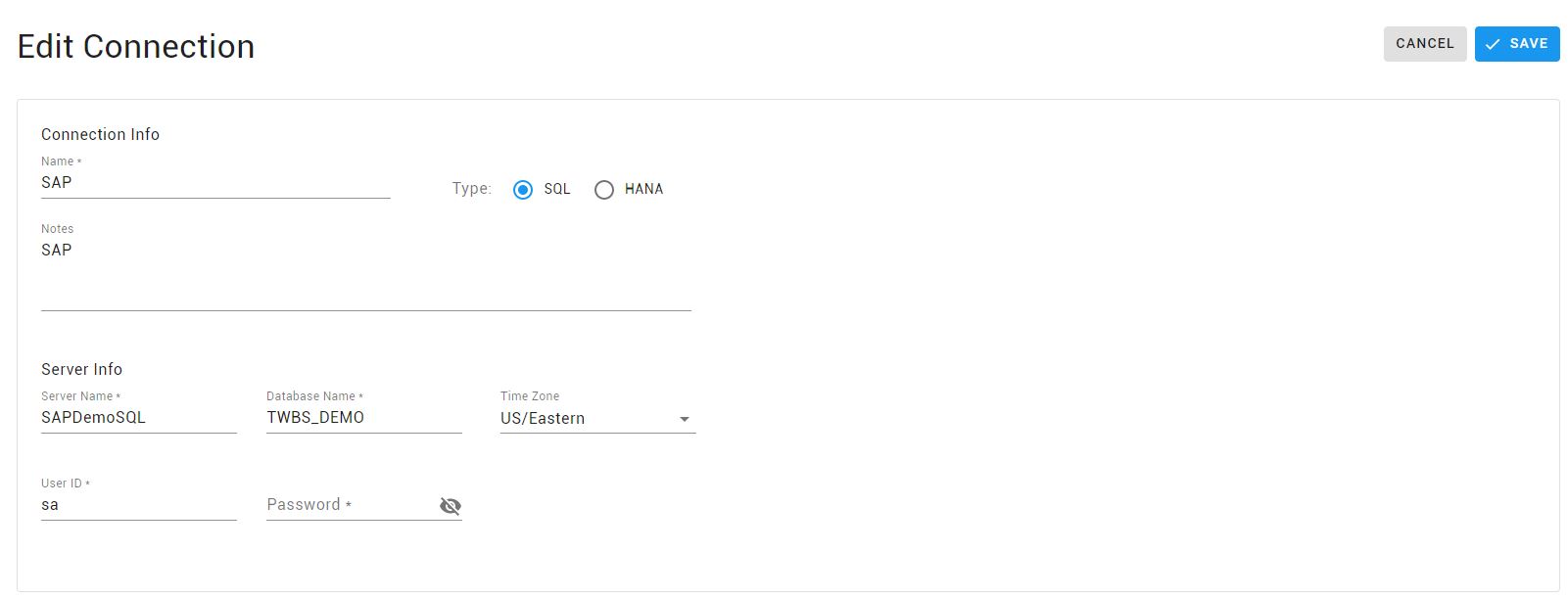
- Server Name is MSSQL instance name or the HANA server. For HANA connections, the Server Name must include the correct port number.
- Database Name is the name of the database to be used. It is case sensitive for HANA.
- Timezone is used by Data Views that display calendars to determine the correct adjustment between the user and connection timezones.
- Password is not retrieved on edit mode for security reasons.
For HANA connections, ensure that the HANA client is installed and the correct port number is defined under the Server Name, especially in a multi-tenant environment. We recommend verifying HANA connectivity by installing HANA Studio in the Versago server.
versago3/connections.1661869123.txt.gz · Last modified: 2022/08/30 10:18 by dlee
Except where otherwise noted, content on this wiki is licensed under the following license: CC Attribution-Noncommercial 4.0 International


