
mbstring extension must be loaded in order to run mPDF
versago3:dashboards
Table of Contents
Dashboards
Dashboards provide a way to display information from multiple Versago data views in a single page.
The Dashboards page provides a list of existing dashboards in the system

- Click the [Add Dashboard] button to create a new dashboard.
- Click a row in the listing to edit a dashboard.
- Click the [Trash] icon to delete a dashboard.
Use the standard icons to the search, filter and show/hide columns.
Add/Edit Dashboard
- Fields marked with * are required. All other values are optional.
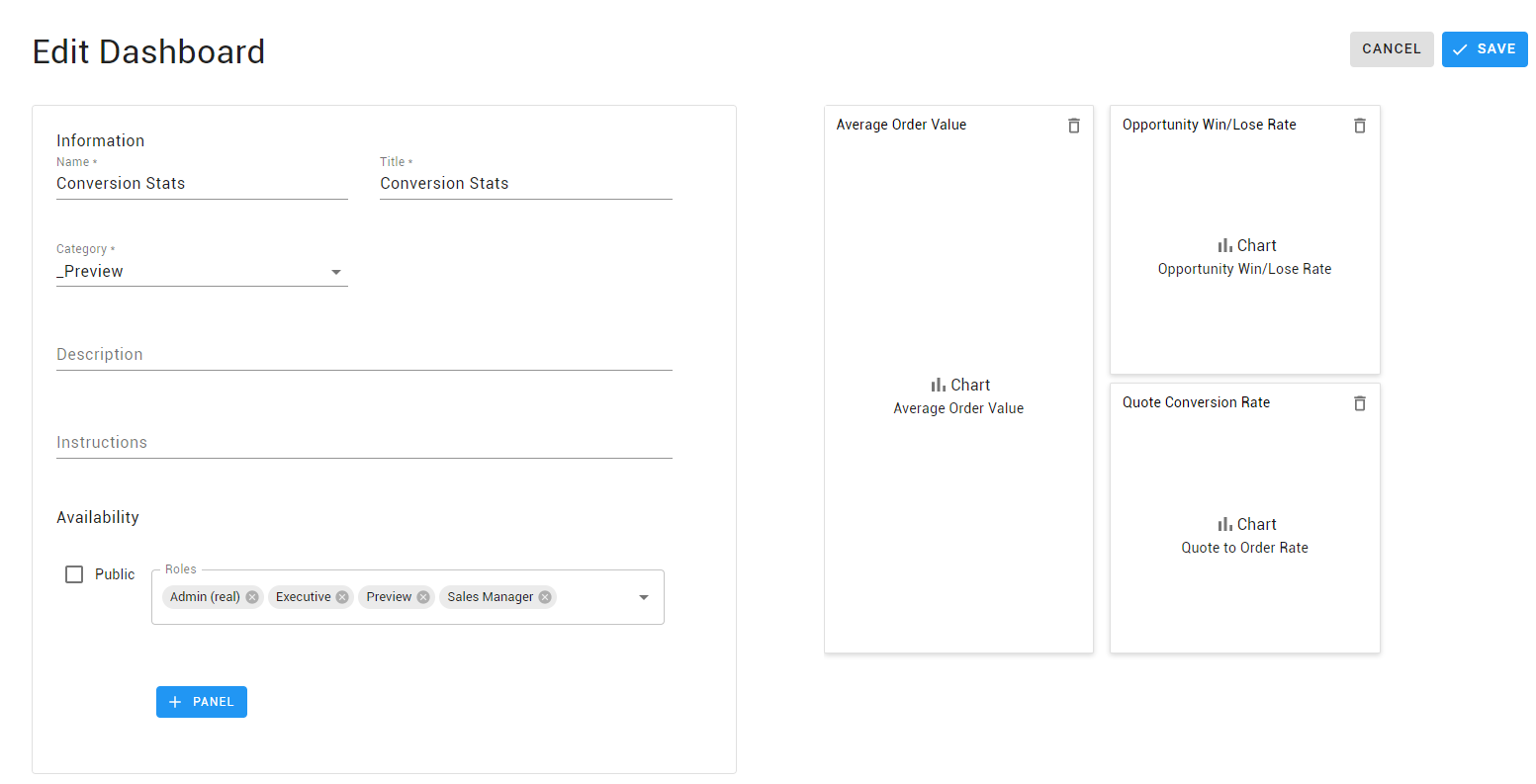
- Click the +Panel button to select the data view and add a panel
- Only data views authorized to the selected roles will be available for selection
- Resize the panels based on your needs
- Use drag and drop to move panels around
Since multiple charts can be configured for one data view, make sure to assign the chart name to the dashboard panel.
versago3/dashboards.txt · Last modified: 2023/04/26 09:33 by dlee
Except where otherwise noted, content on this wiki is licensed under the following license: CC Attribution-Noncommercial 4.0 International


